1. Give the microphone a clear sound
Start somewhere reasonably quiet. Allow Microphone access when the game asks, then follow Voice Setup with an easy hum and a gentle range sweep. The aim is to find a comfortable range you can return to, without forcing high or low notes.
Use a normal, comfortable voice. Vocal Glide responds to pitch: how high or low the note is. Getting louder is not the main control.
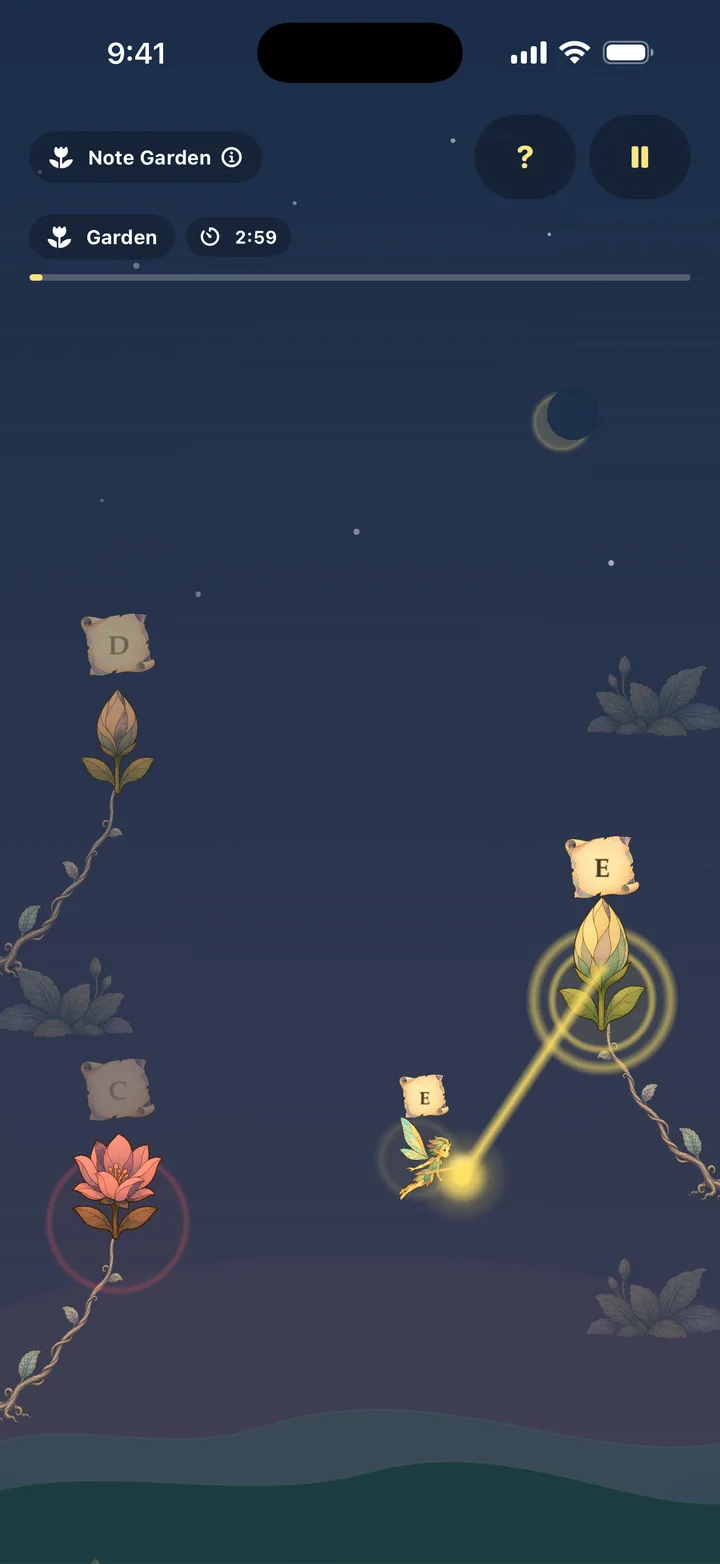
2. Pick the kind of play you want
Choose Moonlit Cave if you want to move through a world. Your pitch guides a fairy through passages. Choose Note Garden if you want to linger with a note and see a flower bloom. Note Garden has no score or failure.
Magic Bunny, Butterfly Meadow and Free Glide give the voice other jobs: moving a hat, aiming and releasing a spell, or painting a sky. You can explore those once the basic input feels familiar.
3. Try a small change, then a steady note
Hum a comfortable note, shift a little higher, then a little lower. Notice what changes on screen. Return to an easy note and hold it briefly. You are learning a controller through a visible response.
There is no need to sing lyrics or perform a song. A hum or comfortable vowel gives you a simple sound to work with.
4. Keep the first session short
The game offers one-to-five-minute sessions and Endless play. Begin with a short session so you can concentrate on a single action. If you share the phone, let the next player set up for their own comfortable voice.
If the movement feels unreliable
- Check that Microphone access is enabled for Vocal Glide in iPhone Settings.
- Move away from background conversation or other strong sounds.
- Use an easy, clear hum and keep the phone positioned consistently.
- Revisit Voice Setup if the range feels awkward.
For a continuing problem, use Vocal Glide Support and include your device, iOS version and what happened.
What happens to your voice?
Pitch is analysed on your device. Voice Setup uses temporary recordings that are deleted after analysis, and gameplay audio is not saved. Voice Analysis stores daily pitch summaries locally; you can delete its history in Settings. See the privacy policy for the full details.
The full game has a deliberately started 7-day trial. Continuing afterwards is a separate lifetime purchase; the trial does not renew or charge automatically.
Try Vocal Glide. See the game and its screenshots, or open its App Store page.
Try the full game free for 7 days. Continue with a separate, one-time lifetime unlock. No subscription or automatic charge.